Discover how to enhance your GitHub profile with dynamic stats using GitHub Readme Stats. This tool transforms your profile into a showcase of your contributions.
Hook: The Need for Dynamic GitHub Stats
In the competitive realm of software development, standing out on GitHub is crucial. Developers often seek ways to showcase their contributions, skills, and engagement. Enter GitHub Readme Stats, a powerful tool that dynamically generates GitHub statistics for your README files. This not only enhances your profile's aesthetics but also provides a quick overview of your coding prowess.
Deep Dive: Architecture and Key Features
GitHub Readme Stats operates seamlessly with the GitHub API, fetching real-time data about your repositories, contributions, and overall performance. Its architecture is designed for simplicity and efficiency, allowing users to integrate it effortlessly into their profiles.
- Dynamic Stats Card: Generate a personalized stats card that reflects your GitHub activity, including stars, commits, and pull requests.
- Customization: Tailor the appearance of your stats card with various themes and options to fit your personal style.
- Private Stats: By deploying your own instance, you can access private repository statistics, making it a versatile tool for all developers.
Why It Stands Out
Compared to other tools, GitHub Readme Stats offers unique features like customizable themes, the ability to hide specific stats, and options to display additional metrics. These features not only enhance user experience but also ensure your profile looks sleek and professional.
Real-world Use Cases
This tool is perfect for:
- Open Source Contributors: Showcase contributions effectively to attract collaborators and maintainers.
- Job Seekers: Present a strong GitHub profile to potential employers, highlighting relevant skills and contributions.
- Developers: Keep track of your coding journey and continuously improve your skills by reviewing your stats.
Practical Code Examples
Integrating GitHub Readme Stats into your profile is straightforward. Here’s how:
Installation
# No installation required; just copy and paste the markdown below
[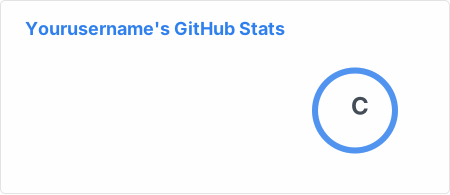](https://github.com/anuraghazra/github-readme-stats)Customizing Your Stats
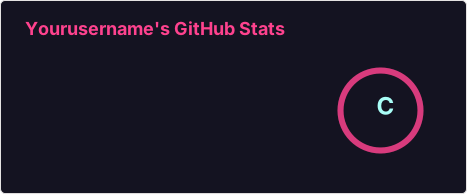
You can customize your stats card by modifying the URL parameters. For example:
Pros & Cons
Pros
- Easy to integrate and use.
- Highly customizable to match your style.
- Real-time updates from the GitHub API.
Cons
- Public instance may have rate limits.
- Self-hosting requires some technical knowledge.
FAQ
- How do I hide specific stats?
- You can use the `&hide=` query parameter in your markdown to exclude certain stats from displaying.
- Can I show stats from private repositories?
- Yes, by deploying your own instance and using a personal access token, you can access private stats.
- What themes are available?
- GitHub Readme Stats offers several built-in themes including dark, radical, and gruvbox.

For more information and documentation, visit the GitHub Readme Stats repository.
Now, transform your GitHub profile into a dynamic showcase of your coding contributions!