Motrix offers a seamless download experience across multiple platforms. Discover its features, installation steps, and why it stands out in the download manager space.
Introduction to Motrix
In a world where digital downloads are an integral part of our daily lives, having a robust download manager can make all the difference. Motrix is a powerful, full-featured download manager that supports various protocols including HTTP, FTP, BitTorrent, and Magnet links. This article delves into its features, installation process, and the user experience it offers.
Who Should Use Motrix?
Motrix is ideal for:
- Users needing a reliable tool for managing multiple downloads simultaneously.
- Individuals who frequently download large files or torrents.
- Tech-savvy users looking for open-source software that offers customization.
- Anyone who values an intuitive user interface and quick access to downloads.
Features of Motrix
Motrix is packed with features that enhance the download experience:
- 🕹 A simple and clear user interface that minimizes complexity.
- 🦄 Supports BitTorrent and Magnet links.
- 📡 Automatic tracker list updates for BitTorrent downloads.
- 🚀 Up to 10 concurrent download tasks with support for 64 threads per task.
- 🌑 Dark mode for a comfortable viewing experience.
- 🔔 Notification alerts upon download completion.
Installation Guide
Installing Motrix varies slightly depending on your operating system. Below is a breakdown of the installation process for Windows, macOS, and Linux.
Windows Installation
For Windows users, it's recommended to use the installation package:
Motrix-Setup-x.y.z.exeAlternatively, you can install via package management tools like Chocolatey:
choco install motrixmacOS Installation
Mac users can install Motrix using Homebrew:
brew update && brew install motrixLinux Installation
For Linux users, Motrix can be installed via AppImage or Snap packages. For example:
flatpak install flathub net.agalwood.MotrixUser Interface Overview
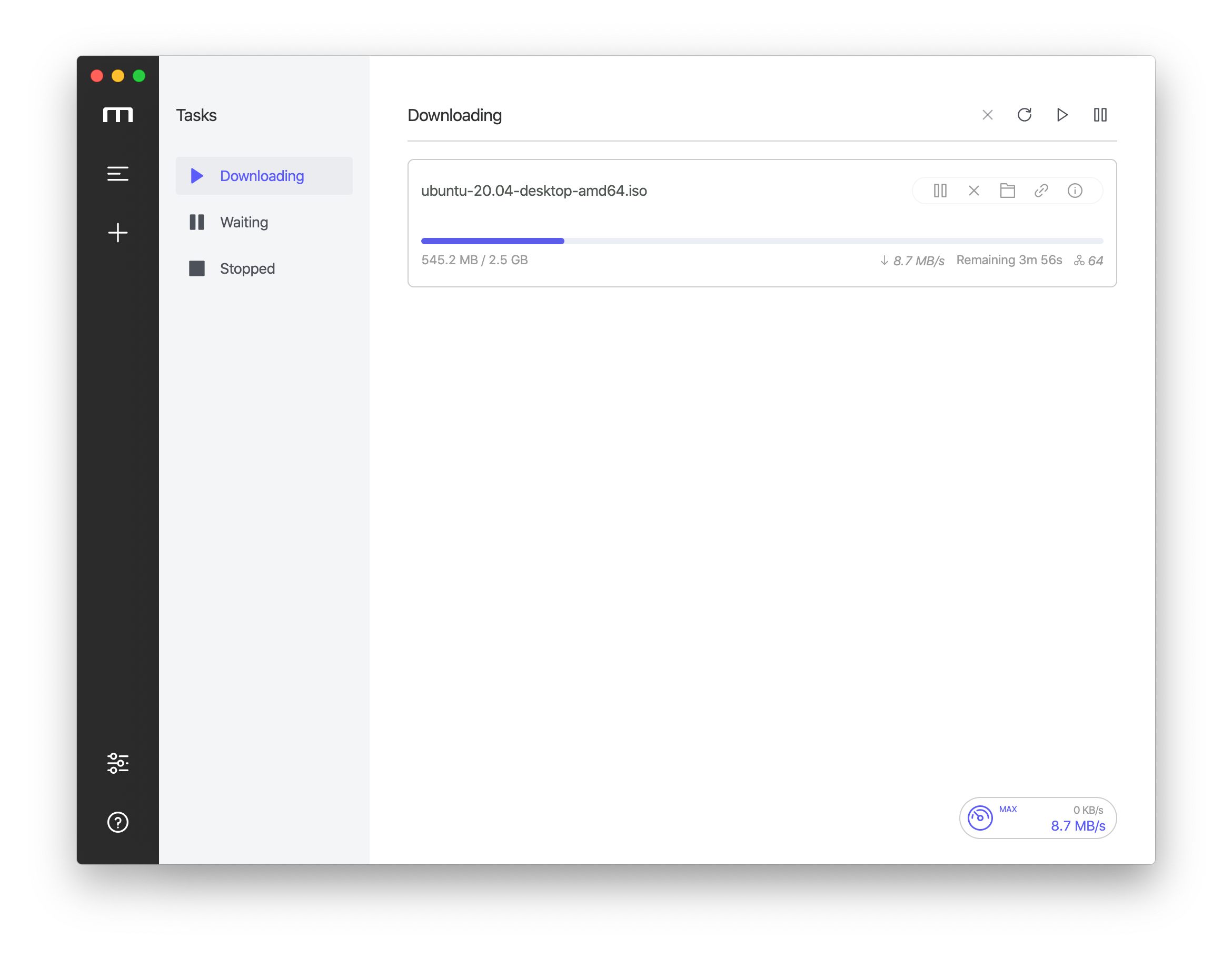
The user interface of Motrix is designed for simplicity and efficiency. Users can easily navigate through their downloads and access advanced features without confusion. Below is a screenshot illustrating the main interface:
Code Examples for Developers
Developers interested in the underlying technology can clone the repository and install dependencies:
git clone git@github.com:agalwood/Motrix.git
cd Motrix
yarn
To run Motrix in development mode, use:
yarn run devMotrix Technology Stack
Motrix is built using a combination of:
Frequently Asked Questions
What platforms does Motrix support?
Motrix is available on Windows, macOS, and Linux, providing a versatile solution for all users.
Can I contribute to Motrix?
Absolutely! Contributions are welcome. Check the repository for guidelines.
Is there a mobile version of Motrix?
Currently, Motrix does not have a mobile version. It is designed for desktop use.
Conclusion
Motrix stands out as a powerful and user-friendly download manager for various platforms. Whether you're downloading large files or managing torrents, its features and simplicity make it an excellent choice. Try it out and experience seamless downloads today!
Call to Action
Have you tried Motrix? Share your thoughts in the comments below, and don't forget to explore related tools that enhance your downloading experience!